Meshk
Free on the App Store

Learn handwriting
the way masters taught it.
Meshk guides your pen stroke by stroke, scores every stroke in real time, and covers 139 writing systems in one app — from Latin cursive and classical Arabic calligraphy to hanzi, kana, Hangul, Devanagari, Tamil and Ge'ez.
- writing systems
- 139writing systems
- practice packs
- 169practice packs
- characters
- 13,664characters
4.2 from 13 App Store ratings · iPhone & iPad · Free to start
Handwriting was never taught from a picture.
For centuries, calligraphers learned by watching their master write. Pen lifts here. Pressure swells there. Each curve in its proper order. The exemplar was alive. Today's apps show you a finished letter and ask you to trace it — flattening a thousand years of craft into a coloring book. Meshk gives you the master, restored.
139 writing systems. One app.
73 scripts in living use today and 66 historic ones, each animated stroke by stroke. Every specimen below is drawn from the app's own stroke data — the same paths your pen follows in a lesson.
Latin
1Cyrillic
1Greek
1Arabic
1Hebrew & Semitic
1Chinese & Japanese
3Korean
1Devanagari
1Brahmic
39Ge'ez
1Ancient
38Watch the stroke. Write it. Get scored.
The exemplar is written for you.
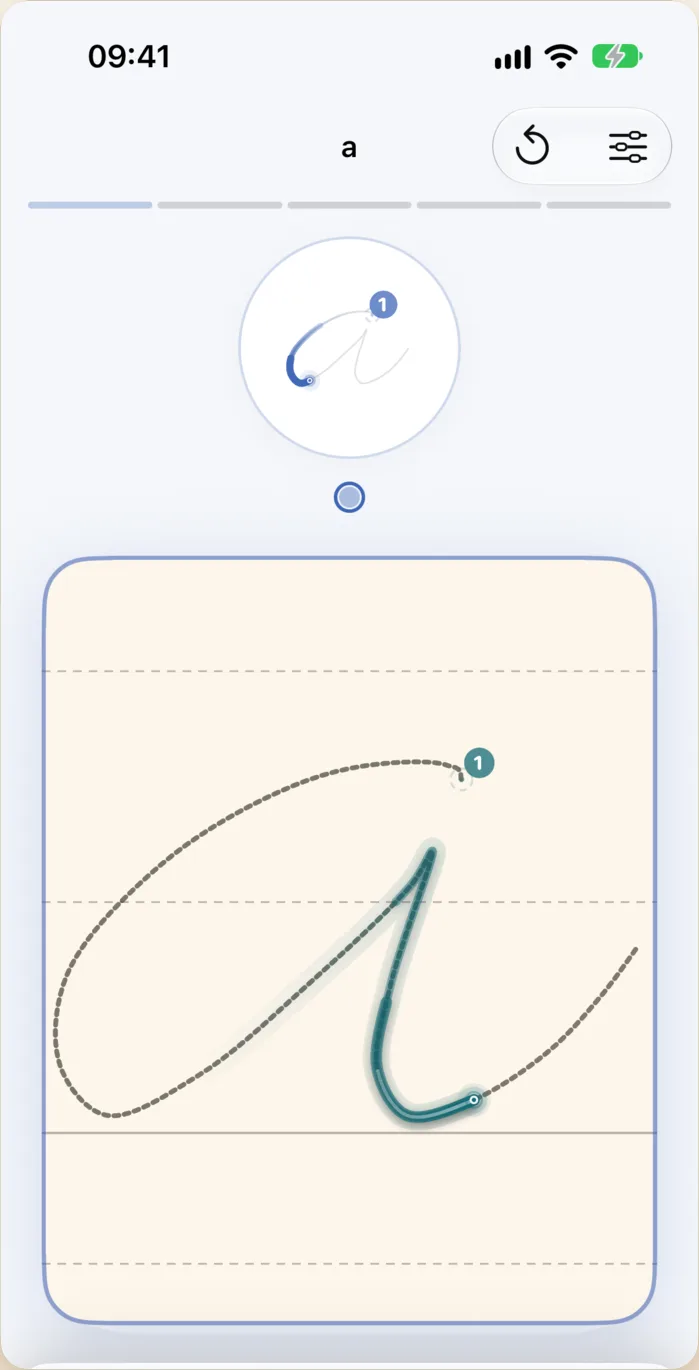
Each character is animated stroke by stroke, showing the order and direction of each stroke. Replay it at your own speed, as many times as you need.
You write it yourself.
Over a dotted outline, on ruled lines, or on a blank page. Numbered start points show where each stroke begins; the guide fades as you gain confidence.
Every stroke is scored.
Not tracing theatre. Your stroke is compared with the master stroke for direction, order, shape and placement, then scored. Hints show exactly where it went off.
Low-latency ink, pressure and tilt response, paper-texture haptics and Apple Pencil hover. Works with a finger on iPhone too.
Classical Arabic calligraphy, taught the traditional way.
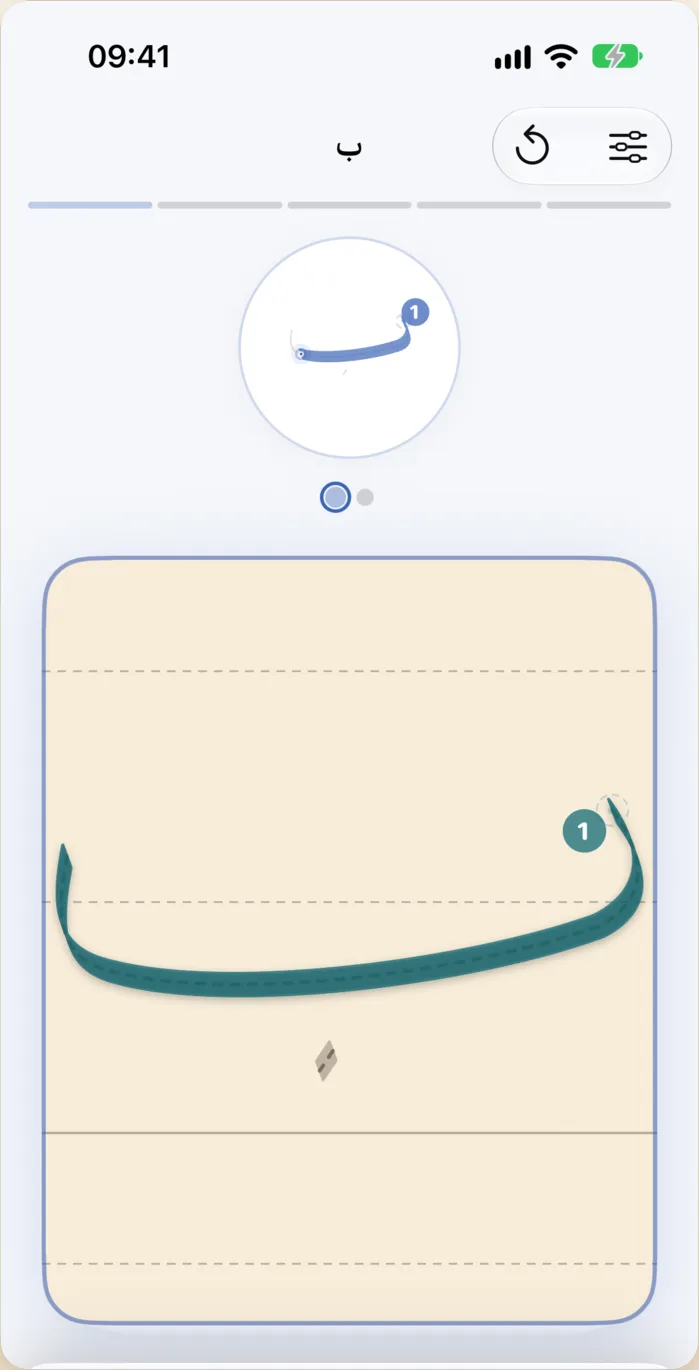
Five historical styles — Naskh, Thuluth, Diwani, Ruq'ah and Kufi — with right-to-left guides, nokta (dot) measurement and a reed-pen simulation that reproduces the angled nib of a real qalam. Set the nib angle, and the ink thickens and thins exactly as it would on paper.
Qalam canvas
A free calligraphy surface with the nib angle in degrees, nokta rulers, a grid and 5 historical styles to switch between.
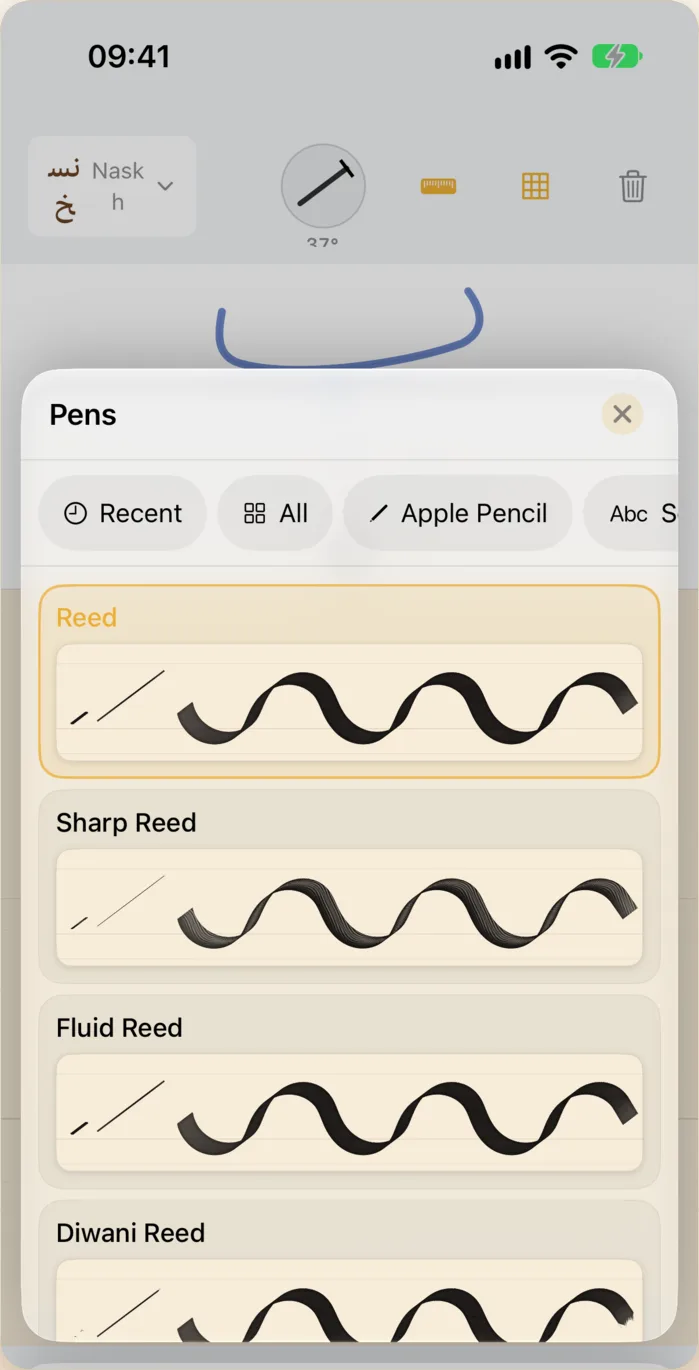
81 pens, open in every lesson.
Apple's eight inks and 73 reeds, nibs, brushes, leads and charcoal, on 10 shelves. Each one carries its own cut, nib angle and ink load, so a Thuluth reed behaves like a Thuluth reed and a Japanese fude tapers like a fude.
- Scripts11 pens
- Hat7 pens
- Western calligraphy5 pens
- East Asian brush3 pens
- Pens9 pens
- Inks10 pens
- Lettering10 pens
- Drawing11 pens
- Tools5 pens
- Eraser2 pens
On iPad the rail sits on whichever side you hold the tablet. The scoring never changes when the tool does — write the same lesson with a ballpoint or a reed and both are measured against the master stroke.
Courses that go somewhere.
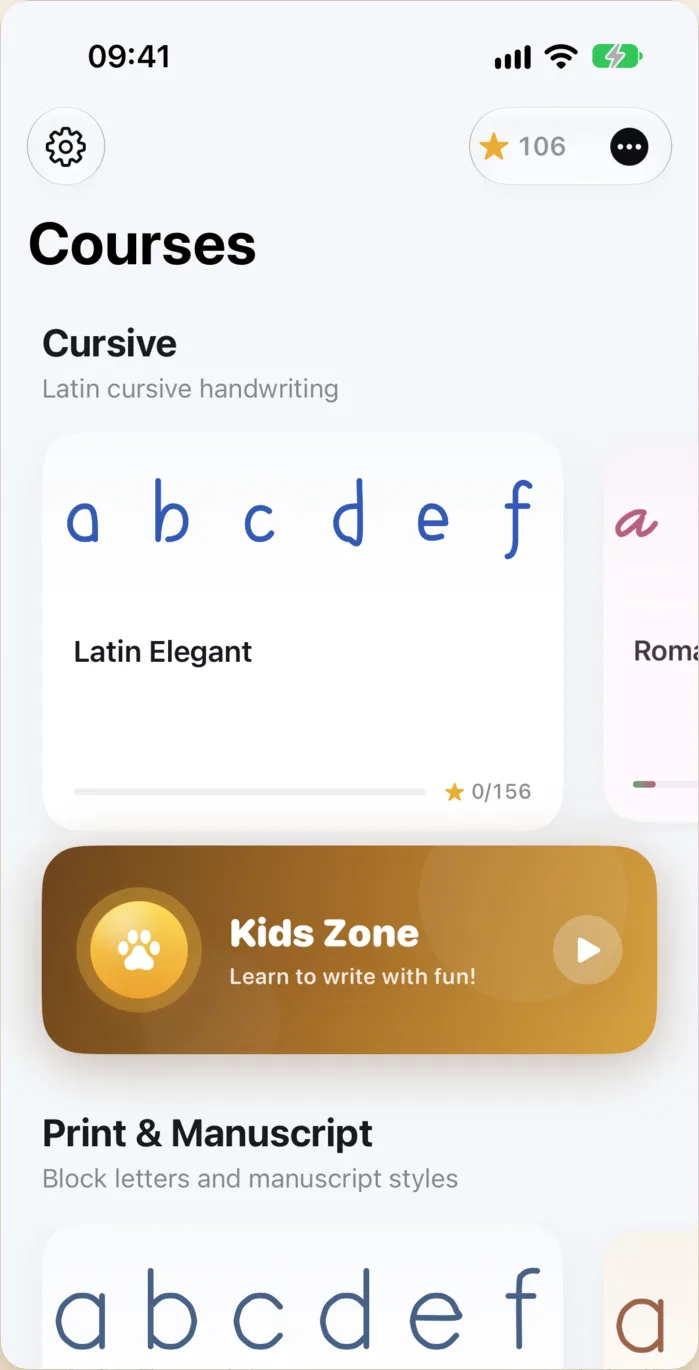
Every script has a structured course: warm-up training, single letters, lowercase and uppercase, connecting letters, then words. Progress is tracked per character, stars are earned per lesson, and an exam closes the course.
- Training
- Letters
- Connections
- Words
- Exam
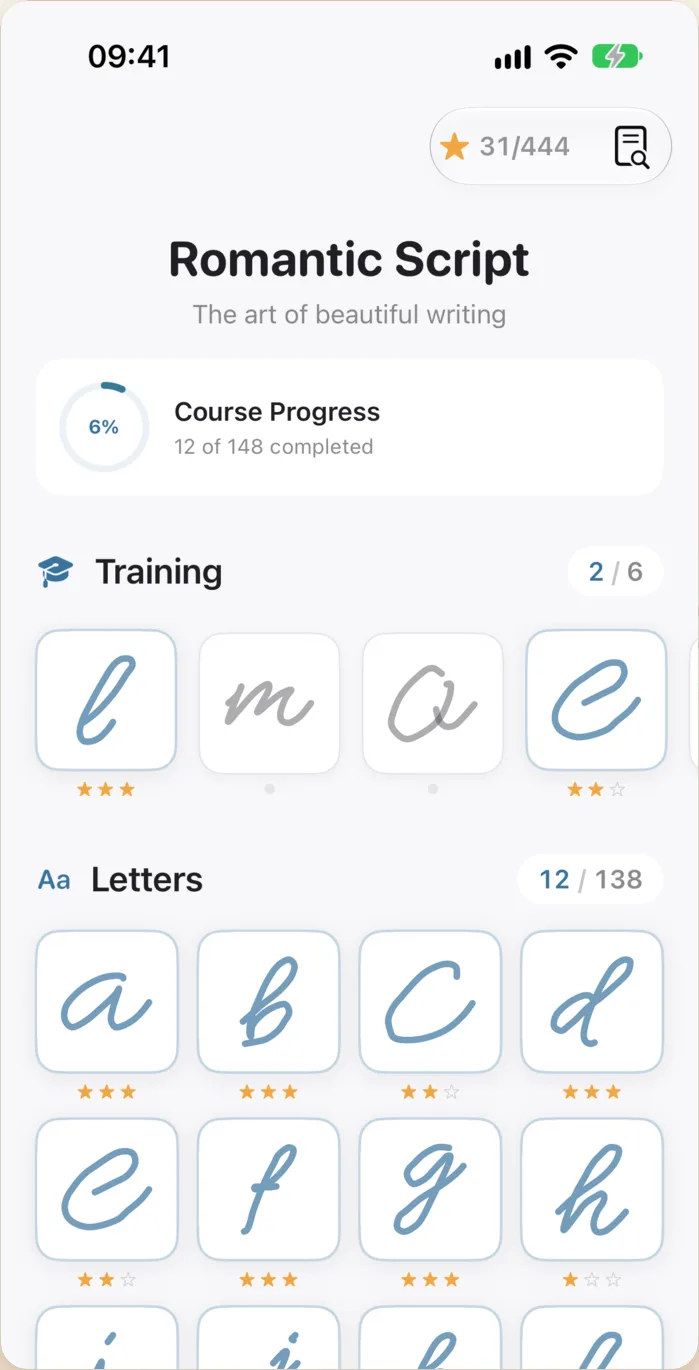
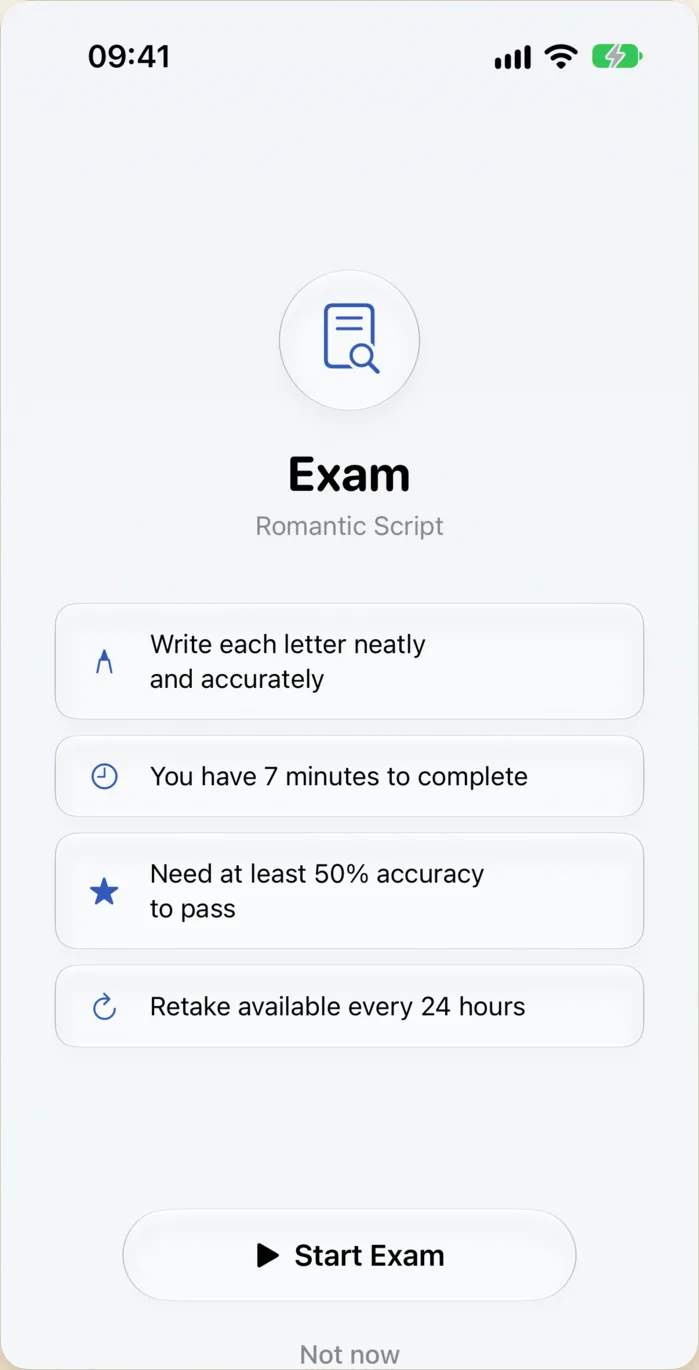
The exam
Timed, scored, with a pass threshold and a retake window. Pass it and the stars are yours.
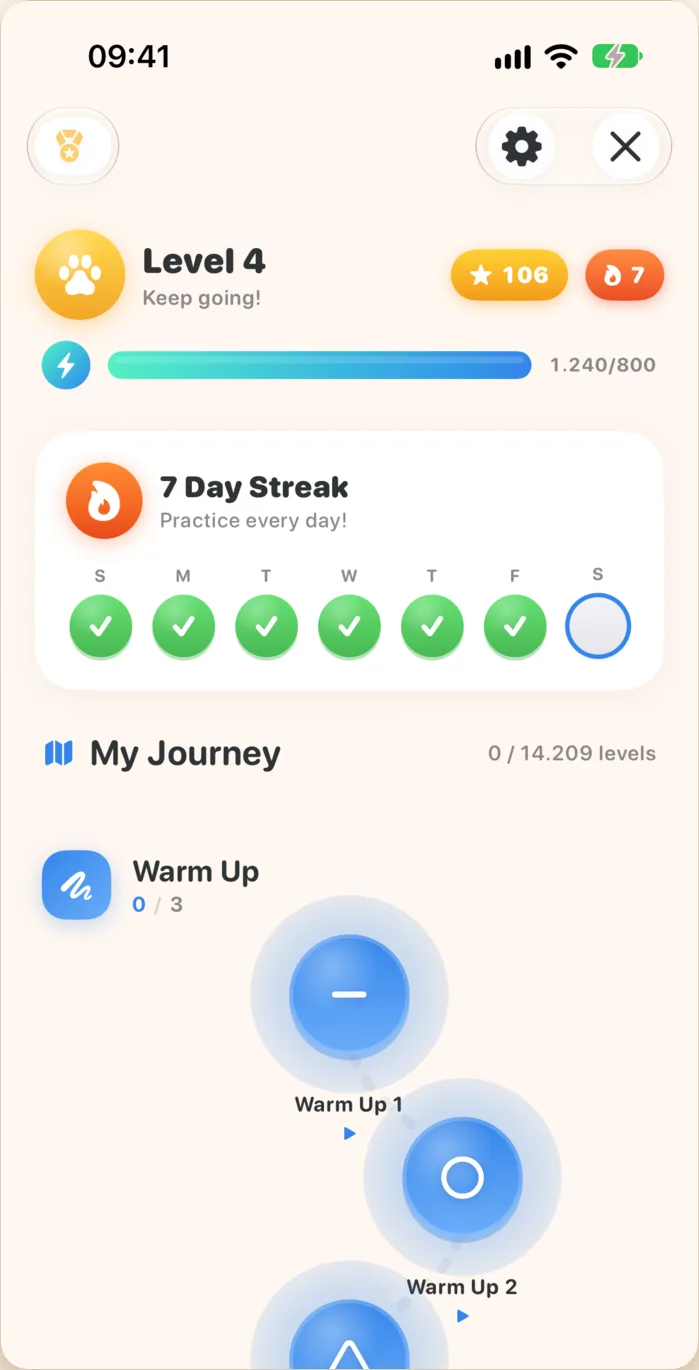
First letters, made playful.
A separate, age-appropriate world for children: shapes before letters, letters before words, with levels, XP, badges, daily streaks and a progress map they want to finish. Parents get a calmer palette and no ads, ever.
- Shapes, letters and words in order
- Levels, XP and badges
- Daily streak with a 7-day board
- A journey map, not a list of chores
Your words. Your texts. Your fonts.
Meshk builds lessons out of whatever you want to write — a name, a poem, a vocabulary list, a page of your own prose. Add blank practice papers for free writing. Import any writing style as SVG and Meshk turns it into a guided, scored course.
My Words
Type a word, get a scored lesson in any installed script.
My Texts
Paste a passage and practise it line by line.
My Papers
Blank ruled, dotted or plain sheets for free practice.
Import a font
Bring your school's handwriting standard in as SVG.
The format is open.
A Meshk pack is a single JSON file: each glyph is its character, its advance width, and an ordered list of strokes as SVG paths. Nothing more. Inspectable, diffable, yours.
{
  "id": "com.meshk.latn.print.ems-tech",
  "script": "Latn",
  "dir": "ltr",
  "canvas": 1024,
  "glyphs": {
    "U+0041": {
      "ch": "A",
      "adv": 690,
      "strokes": [
        "M 110 816 L 232 494 L 309 281 L 364 132 L 381 135 L 442 236 L 532 419 L 597 581 L 654 722 L 704 810",
        "M 200 570 L 320 545 L 458 503 L 574 480 L 684 455"
      ]
    }
  }
}Built for Apple Pencil, iPhone and iPad
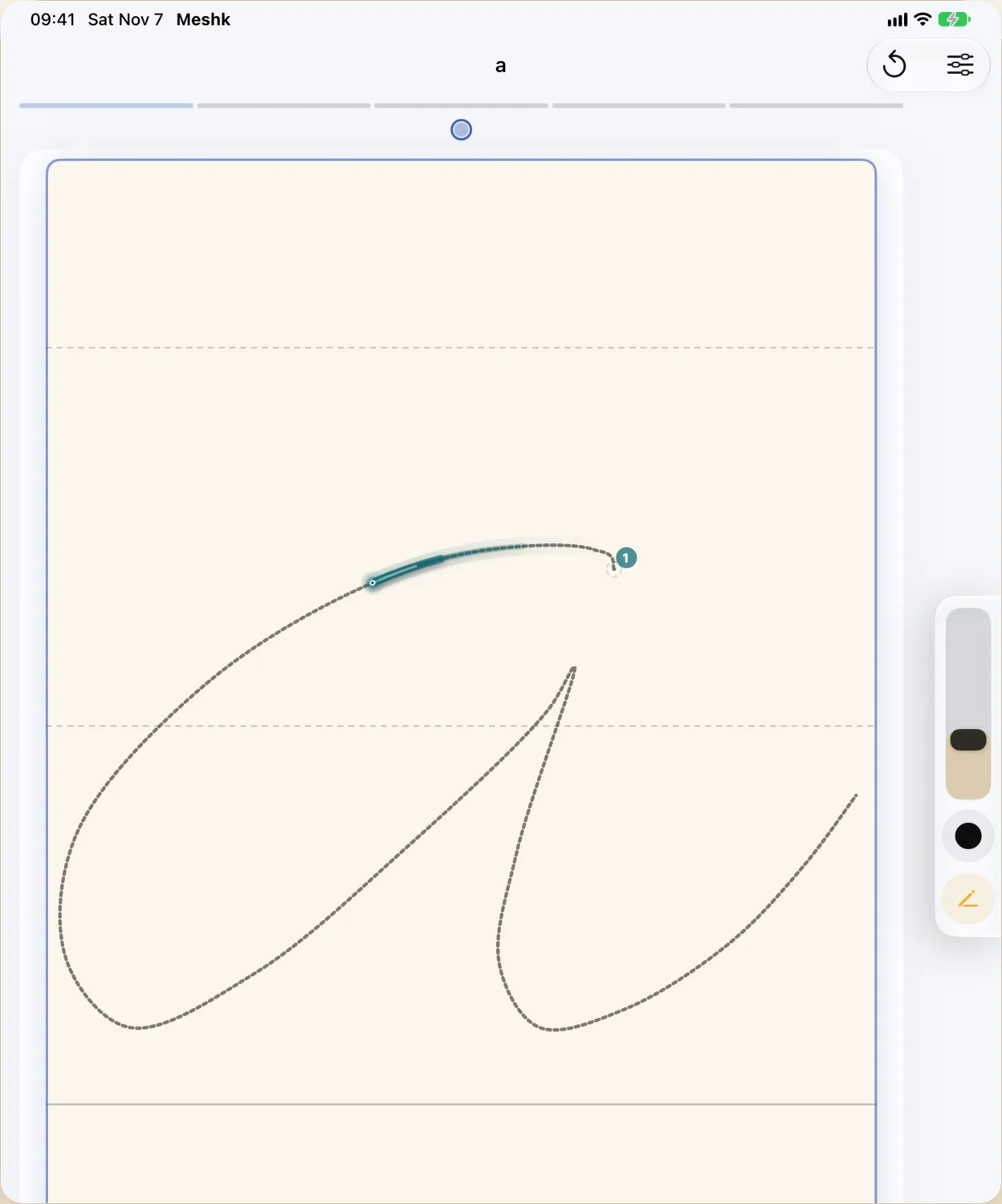
Apple Pencil, properly
Low-latency ink, pressure and tilt, paper-texture haptics, hover preview. It feels like a pen on paper, not a finger on glass.
iPhone and iPad
The full course library on both. Practise on the train with a finger, or at a desk with a Pencil.
Offline-first
No account needed to practise. Every pack ships inside the app and works on a plane.
18 languages
The interface speaks English, Turkish, Arabic, German, French, Spanish, Italian, Portuguese, Dutch, Greek, Russian, Japanese, Chinese, Korean, Hindi, Telugu and Thai.
Free to start. Pro unlocks everything.
Free
$0
A starter course, the lesson engine, real stroke scoring and your own practice papers.
Meshk Pro
7-day free trialEvery writing system, every style, every course, the full Kids Zone, exams and font import.
Monthly
$2.99
Yearly
$19.99
Best value
Lifetime
$49.99
One payment
Prices shown in USD; the App Store charges in your local currency. No ads. No tracking. Your handwriting stays on your device.
Start free on the App StoreQuestions about Meshk
- Do I need an Apple Pencil?
- No. Meshk works with a finger on iPhone and iPad. A Pencil gives you pressure, tilt and haptics, and makes calligraphy styles behave like a real nib — but every lesson is scored either way.
- What does "stroke scoring" actually measure?
- Each stroke you draw is compared with the master stroke for direction, order, shape and placement. You get a score per stroke and a hint showing where it drifted — not a pass/fail on the finished shape.
- Can my child use it?
- Kids Zone is built for that: shapes, then letters, then words, with levels, badges and a daily streak. No ads and no outside links.
- Is Turkish bitişik eğik yazı included?
- Yes. The Latin packs cover print, cursive, formal script and the Turkish school manuscript style taught in primary school.
- Can I practise historic scripts?
- 66 of them — Runic, Gothic, Glagolitic, Old Turkic, Brahmi, Linear B and more, each animated stroke by stroke.
- Where is my progress stored?
- On your device. Meshk needs no account to practise and sends no handwriting anywhere.
Download Meshk for iPhone and iPad
Meshk is on the App Store for iPhone and iPad.
Free to start · 7-day Pro trial · No ads, no tracking
Requirements
Requires iOS 17 or later. Runs on iPhone and iPad. For pressure, tilt, hover and haptics, use Apple Pencil or Apple Pencil Pro on a compatible iPad.
Meshk on apps.cihat.dev
The app page on the developer hub carries the full feature list, the support contact and the privacy policy.